Turn Client Methodologies Into Short Training Videos: A Five-Step Guide
Map each framework step to a short lesson, choose tracking before production, and review every module before handing it to the client.
Turning a client methodology into training videos works best when the deliverable is designed around how the client will use it. A team that needs a library to watch can receive short narrated lessons. A client that must record course completion needs modules packaged for its learning management system (LMS). Those choices affect the production tool, review process and handover, so settle them before building.
For a watchable library, the practical pattern is one lesson per step of the method, arranged as a playlist and reviewed by the engagement lead. Scrimba Explain can create narrated explainers from described steps or attached documents, without an on-screen presenter. Scrimba’s documentation lists commercial use and video downloads under its Pro plan. If the client needs completion records, the source recommends a tool that exports SCORM packages, such as Colossyan Professional, HeyGen Business or Synthesia Enterprise.
Start with the handover
Ask what the client expects to receive. A set of links, downloadable MP4 files, an LMS course with completion data, an interactive practice activity and a narrated workshop deck are different deliverables. Choosing among them first prevents a polished set of videos from missing the client’s actual requirement.
| Client requirement | Possible fit | Handover |
|---|---|---|
| A short library without completion tracking | Scrimba Explain playlist | Links to lessons or the playlist, embeds for unlisted lessons, or an MP4 per lesson |
| Completion records in the client’s LMS | Colossyan, HeyGen or Synthesia with SCORM export | A SCORM package for each module |
| Quizzes or branching practice within the video | Colossyan | Interactive videos |
| A presenter on screen | HeyGen or Synthesia | Avatar videos |
| A narrated workshop deck by a short deadline | PowerPoint video export | An MP4 for each section |
| Modules for teams using different languages | Synthesia, HeyGen or separate Explain lessons | A set of modules for each language |
The plan details reported for these products were checked on October 23, 2026. Scrimba lists commercial use, video downloads, unlimited edits and 100 explainers a month under Pro. Its free account retains five explainers for life and does not include video downloads. Colossyan Professional includes five SCORM exports a month; its free Starter plan includes 10 interactive videos a month. HeyGen Business is listed at $149 a month, while its Creator plan is $29 a month and removes HeyGen branding. Synthesia lists downloads under Starter and SCORM export under Enterprise. The source also reports that HeyGen’s free plan offers three watermarked videos of up to one minute, and Colossyan’s free plan offers 20 minutes a month with branding.
These plan limits make tracking the first decision. SCORM packages communicate with an LMS during playback and can pass completion information to it. An MP4 or embedded video does not record course completion by itself. Explain documents views and likes, but not completion records or quiz-answer reports for clients. A quiz at the end of a lesson can help learners check their understanding; it does not replace a tracked assessment.
Why short lessons suit a framework
A long report asks the client team to sustain attention across many ideas at once. Short modules give each lesson a defined focus and a natural stopping point. That structure is also easier for a subject expert to check: the reviewer can compare one lesson with one part of the methodology.
Research cited in the source supports keeping videos brief. In a review of video design, Cynthia Brame recommends multiple videos for a lesson, each six minutes or less, so learners can work through smaller pieces of information at their own pace. Brame also cites edX data from 6.9 million viewing sessions: median engagement stayed close to 100% for videos under six minutes and fell to about 20% for videos lasting 12 to 40 minutes.
Short videos alone cannot ensure that a client learns or applies a method. A study of 96 enterprise resource planning projects by Ko, Kirsch and King found that knowledge, motivation and communication all influenced knowledge transfer from consultants to clients. Video can support communication, but teams still need a reason to engage with the material and a person they can approach with questions.
Build the module library in five steps
1. Map the methodology before opening a video tool
List the modules first. One framework step, decision rule or report section can form one lesson. Aim for six minutes or less; if the material needs more time, split it into two parts. This gives the playlist a clear structure and creates a review checklist for the engagement lead.
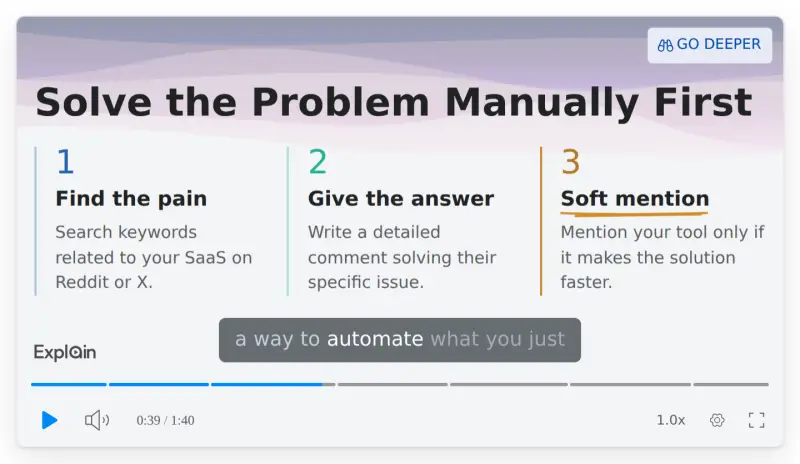
Scrimba does not document an explainer length limit. That does not make a full report a suitable single lesson. Short sections are easier for learners to follow and for reviewers to verify, especially when the source document runs to dozens of pages.
2. Remove client-specific information
Prepare a version of the source that teaches the method without exposing client names, figures or confidential material. The client’s own data can stay within the engagement, while the training explains the framework. Before reusing any material for another client, check the terms governing the engagement.
Scrimba Explain accepts PDFs, images and text files, according to its attachment documentation. Save a Word document as a PDF before attaching it. This makes it possible to use a cleaned framework or a single section as source material for a lesson.
3. Create a playlist and set its visibility
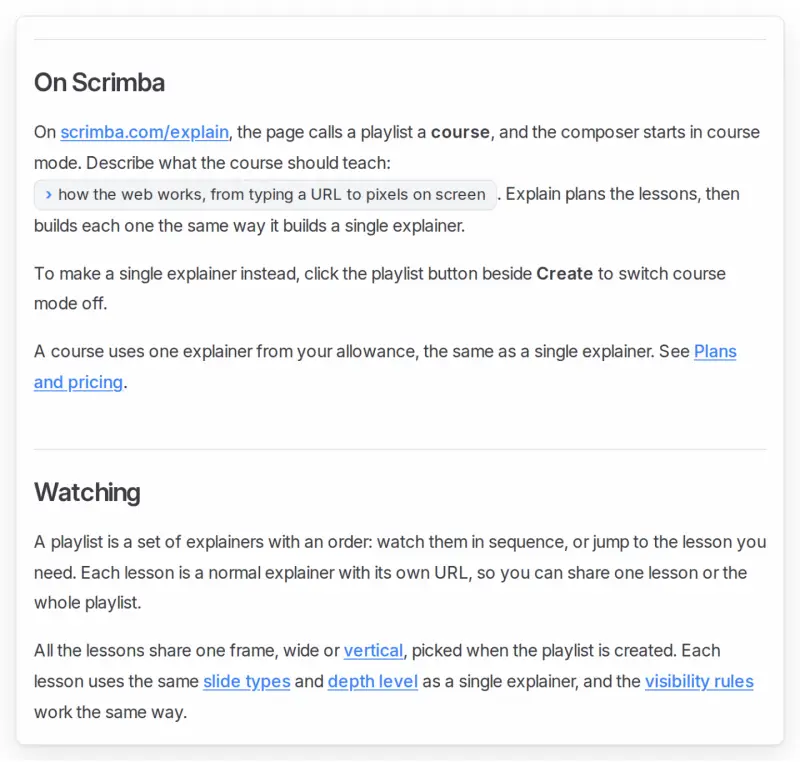
In Scrimba Explain, the creation page calls a playlist a course and starts in course mode. Describe what the course should teach, name the framework’s steps and request one lesson for each. Explain plans the lessons, so compare its proposed list with the module map prepared in the first step.
Choose the visibility setting before creating the lessons. Scrimba says explainers made while signed in start as Public, which means they appear in the community. Select Unlisted for client material. An unlisted lesson can be shared by link and embedded without requiring viewers to have Scrimba accounts, according to the product documentation.
For a single module, create one explainer from the relevant section of the cleaned PDF. When building a playlist, choose one frame size for all lessons; a wide frame suits teams watching on laptops. Scrimba counts a playlist as one explainer toward its allowance, regardless of how many lessons it contains.
4. Have the engagement lead review every lesson
Review is essential because AI-generated material can contain errors. Scrimba displays a warning that Explain can make mistakes and asks users to do their own diligence. The transcript appears under the player, allowing the engagement lead to read the narration as well as inspect the slides.
Check that each lesson explains the right step, uses the correct terms and preserves the method’s logic. Look for invented details, omissions and language that could be mistaken for client-specific advice. Scrimba allows edits through a prompt beneath the player; its free account allows up to three edits per explainer. The engagement lead should approve each lesson before delivery.
A quiz may serve as a quick self-check at the end of an explainer. Scrimba describes these quizzes as brief checks of understanding rather than exams. Its documentation does not describe a report that sends responses to the creator or client, so don’t treat the quiz as evidence of completion or assessment results.
5. Deliver links, embeds or one file per lesson
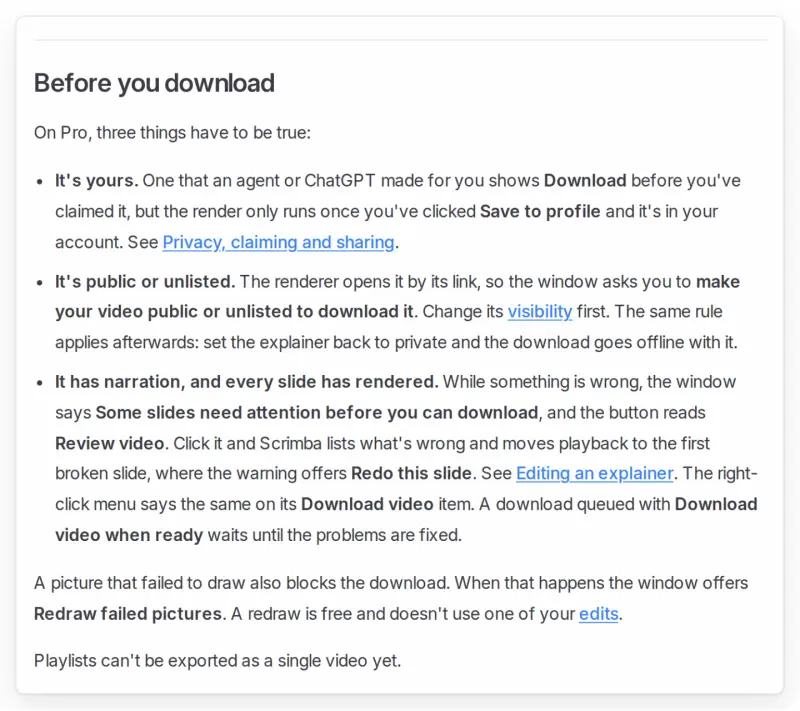
Each lesson has its own URL, so a client can receive individual links or a link to the playlist. Unlisted lessons can also be embedded in an intranet or an LMS page. For downloadable files, Scrimba Pro exports an MP4 for each lesson. Playlists cannot currently be exported as a single video, so plan for one file per module.
Scrimba says exports default to 1080p at 60 frames per second, and lessons must be Public or Unlisted to export. Make the files after approval: editing an explainer retires its saved versions. If the client needs colleagues to work on a playlist in a Scrimba workspace, moving it there brings its lessons with it. Workspace members can edit, while visibility changes and exports are limited to the creator and workspace administrators.
Using the Explain tool through ChatGPT
For teams that already work in ChatGPT, Scrimba’s Explain Video Generator plugin can turn one pasted section of the cleaned framework into a narrated explainer per message. Install it in a signed-in ChatGPT session, then work through the module list one section at a time. Plugin explainers are square by default, so ask for a wide frame when the client will mostly watch on laptops. A framework diagram uploaded to the chat can be used on a slide.
This workflow creates separate explainers rather than a playlist, leaving the creator to send the links in the right order. Connecting a Scrimba account saves each module and counts it toward the account’s allowance. The plugin listing says ChatGPT may share relevant chats and memories with the app to provide context. Use only the cleaned framework in that chat.
When another format is a better fit
- The client needs completion records: Build the modules in a SCORM tool, such as Colossyan, HeyGen or Synthesia. Explain MP4s may still work as supporting videos inside a course, but they do not provide the tracking record.
- Learners need to practise decisions: Colossyan’s free plan includes interactive videos with quizzes and branching. Explain’s end-of-lesson quiz is a self-check, not a documented tracking tool.
- A presenter matters to the relationship: Record a short welcome yourself or use an avatar from HeyGen or Synthesia. The source reports that Synthesia lists more than 140 languages and voices, while HeyGen lists more than 175 languages from Creator. Explain narrates in 33 languages.
- The workshop deck is the deliverable: Record the session or narrate the deck in PowerPoint and export it as a video. Microsoft’s instructions use File, Export and Create a Video. Split a long deck by section if the client wants separate modules.
- The content is one reusable rule for many clients: That calls for a general explainer rather than a course built around one client’s methodology.
For PDF-based work, split the report into sections before production. The source describes HeyGen’s PDF-to-video tool as turning pages into scenes and allowing an avatar, while Synthesia offers file import on paid plans. Its import may produce a new script rather than preserving the source wording and structure. If exact phrasing matters, review the narration carefully or use a workflow that keeps the script intact.
Practical takeaways for client teams
The production sequence is straightforward once the handover is clear: decide whether the client needs completion records, remove confidential details, map one lesson to each step, review every module and deliver the approved files or links. For a library people can watch, short lessons and a playlist keep the methodology navigable. For a course that must report completion, choose SCORM before building. That early choice determines whether the finished training can meet the client’s operational needs.