TalentLMS 7.3 Adds AI Reporting, Udemy Business Courses and Catalog Updates
TalentLMS 7.3 adds plain-language answers from training data, Udemy Business courses in the learning portal and a more scannable course catalog.



TalentLMS 7.3 focuses on the work that follows launching a training program: checking learner progress, responding to gaps and keeping course options easy to find. Its November 2026 release adds an AI assistant for reports, brings Udemy Business courses into the TalentLMS portal and introduces a grid view with category labels for course browsing.
For administrators, the practical change is less time spent locating information across reports and learning platforms. The new tools bring progress answers and additional course content closer to the workflows teams already use. The AI Reports Assistant is available on Pro+ plans; the Udemy Business connection is available on any paid plan for organizations with an existing Udemy Business account.
Ask a question, then open the report behind the answer
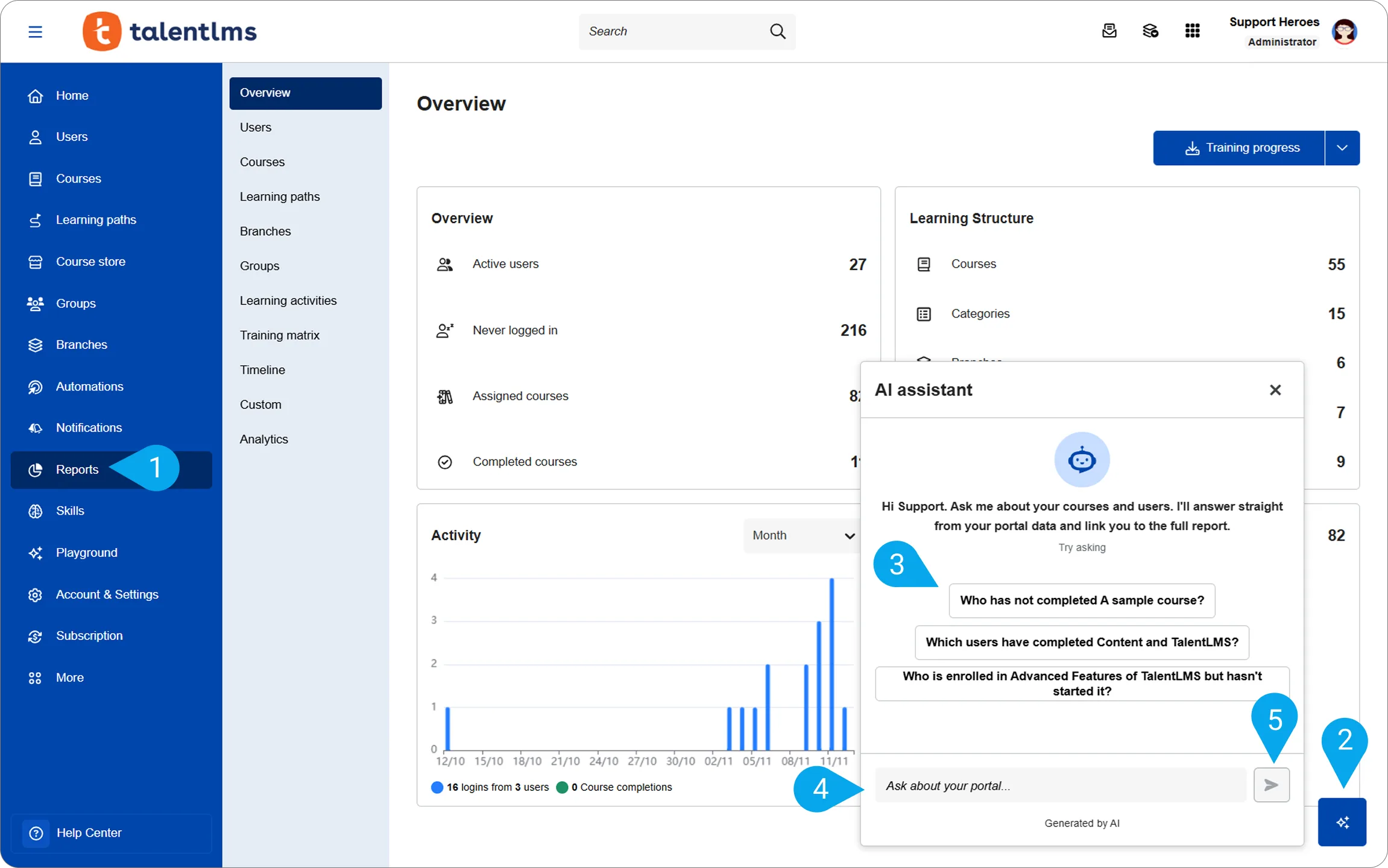
Training teams often need to answer familiar questions: Which learners have not completed required training? Who is enrolled but has yet to begin? Who has not logged in for 30 days? TalentLMS says the AI Reports Assistant can handle questions like these in plain English from the Reports dashboard.
The assistant returns an answer based on data in the organization’s portal, with a link to the underlying report and an option to download results. That gives administrators a quicker route from a manager’s question to the relevant information, and lets them check the report that supports the response. TalentLMS explains how to use the AI assistant.
The scope matters. The feature helps users find and retrieve information already available in reports; it doesn’t add new analytics or compare activity across courses to identify trends. Teams still need to interpret the results and decide what action to take. Its value is in shortening the search, especially when several managers ask similar questions in different ways.



Udemy Business courses sit alongside internal training
Many organizations divide learning between courses they create themselves and specialized professional development hosted elsewhere. That can mean separate logins and progress records, making it harder for administrators to see how learning fits together.
With the new integration, Udemy Business courses can run inside TalentLMS. The catalog is intended to add depth in technical skills, professional development and subject expertise, while TalentLibrary provides ready-made business skills content. Learners can access the external course offering in the same portal where they take other assigned training, and administrators can keep progress alongside the rest of a learner’s training activity.
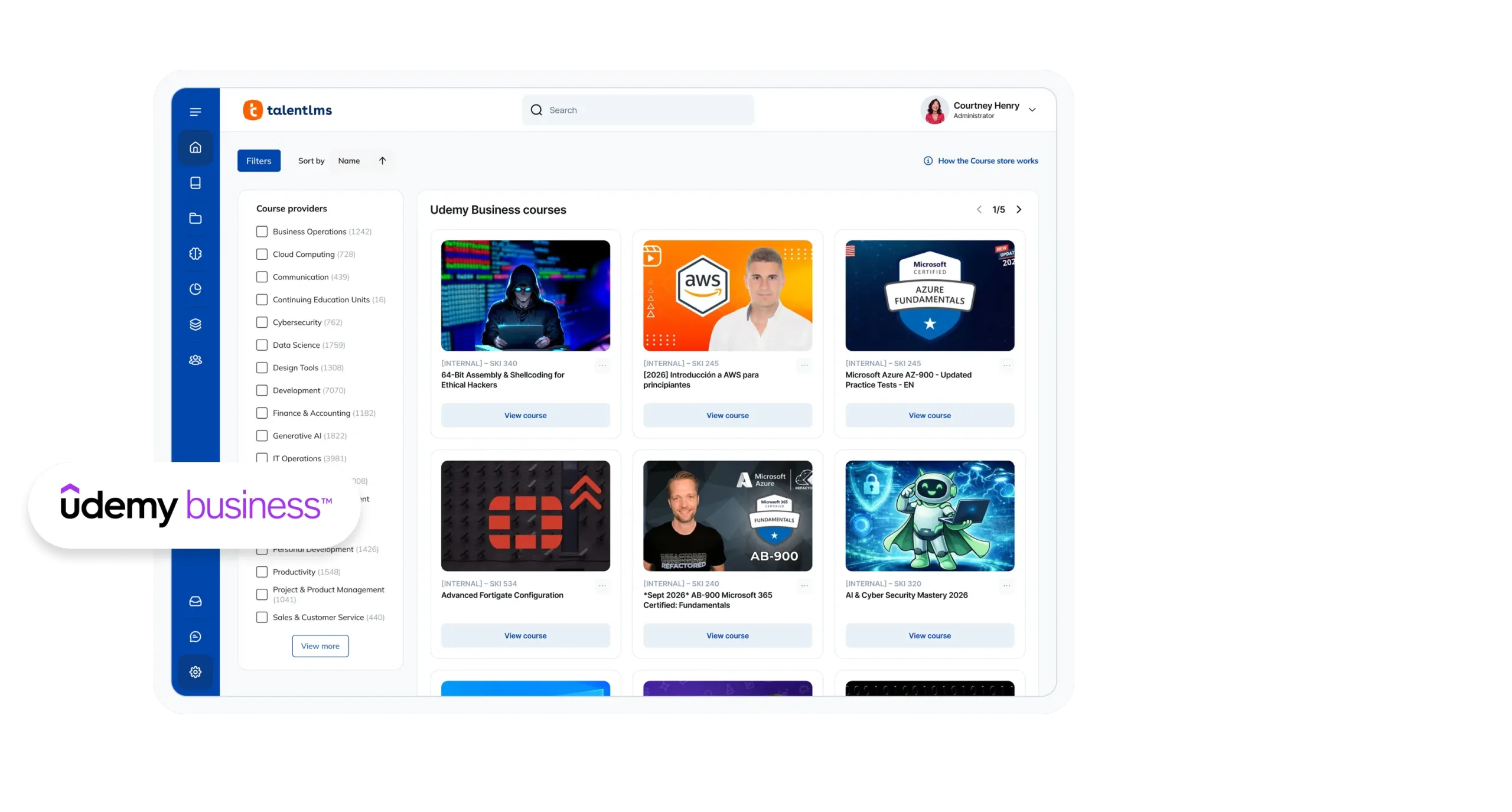
The connection is relevant for organizations that already hold a Udemy Business account and want to reduce the number of places used to coordinate learning. The integration is available on any paid TalentLMS plan. Setup details are available in the TalentLMS guide to the Udemy Business integration.
Elena Goulas, Head of Content Library at TalentLMS, said that making learning content available is only part of the task: organizations also need a simple way to bring it into training programs and reach the people who need it. She described the integration as a way to connect specialized skills development with everyday training management.

“Access to great learning content is only part of the equation. Businesses also need a simple way to bring that content into their training programs and make it accessible to the people who need it. By integrating Udemy Business with TalentLMS, we’re helping organizations bridge the gap between specialized skills development and everyday training management, so they can spend less time coordinating learning and more time helping their people grow.”
A catalog view designed for growing libraries
The release also changes how users browse courses. A long list can make it harder to scan a library as more training is added. The new grid view displays courses as cards, and category labels appear on each card so users can see the existing grouping while browsing.
This is a smaller change than reporting or course integration, but it addresses a recurring navigation task. For administrators maintaining a growing catalog, categories become visible at the point of selection; for learners, the cards offer a quicker visual overview of available courses.
Features TalentLMS says are in development
TalentLMS has outlined several areas for future product work: connections with AI tools such as ChatGPT and Claude for administrators and learners; simulations, role-play and practice sessions within courses; Dynamic Groups that sort users based on selected custom-field values; and report comparisons between a chosen period and the previous one.
These items point to potential changes in how teams connect learning tools, practice skills and organize users. They are presented as work in progress, so organizations will need to wait for further product details to understand timing and availability.
Together, the 7.3 updates target three points in the training cycle: finding out who needs support, bringing more learning into the portal, and helping users navigate the catalog. The assistant speeds access to existing data, while the integration and catalog changes make course discovery and coordination more centralized. The next question for teams is how they’ll use those clearer progress signals to adjust training while it’s underway.